-1.png?height=120&name=1f83348385b37474578a1d1ffd78b3c8adef03e0%20(1)-1.png)
If you have found an error in the digitized transcription of your bill - please let us know by reporting the transcription error in CureMint. This helps us improve our technology to provide a better service to your organization.
To report an error, open the menu on the right side of the bill details page. Select Report a Transcription Error from the dropdown menu options.
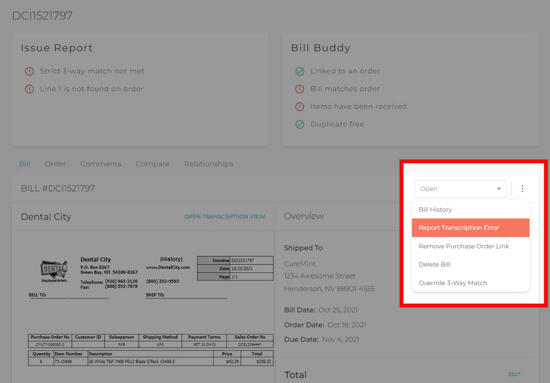
A window will open prompting you to provide some additional information about the error:
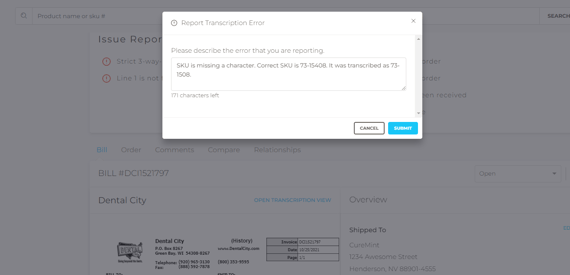
Click SUBMIT. This information will be reviewed by the CureMint team. If any clarification is needed, a member of the team will be in touch to get more information. Otherwise, we will look into the cause of the issue report and implement any necessary changes to avoid a repeat occurrence.
Still have more questions? Please reach out to support@curemint.io.